See how it works
Real example: same person, before and after.
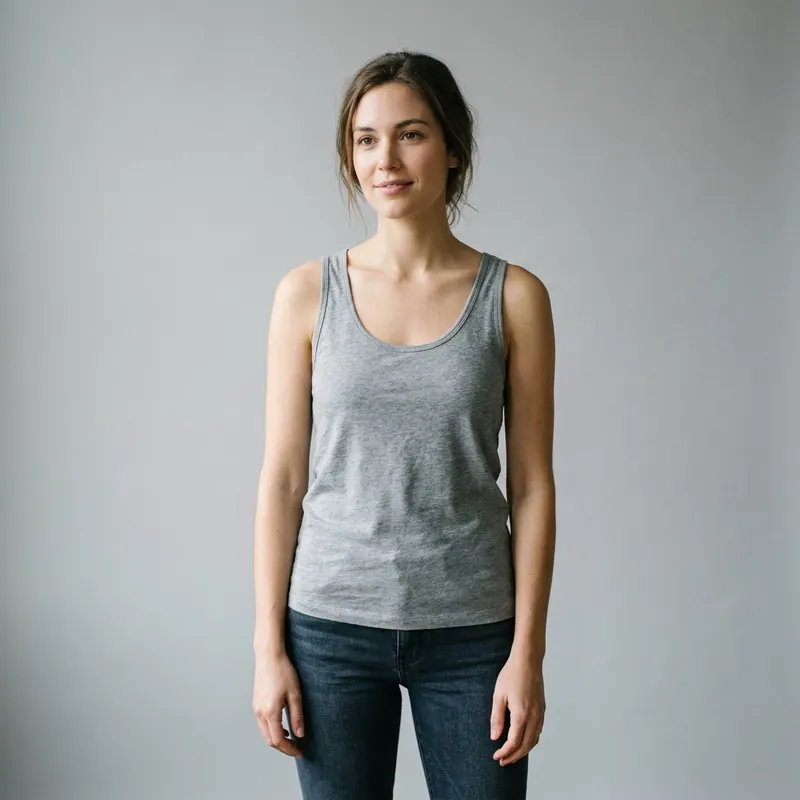
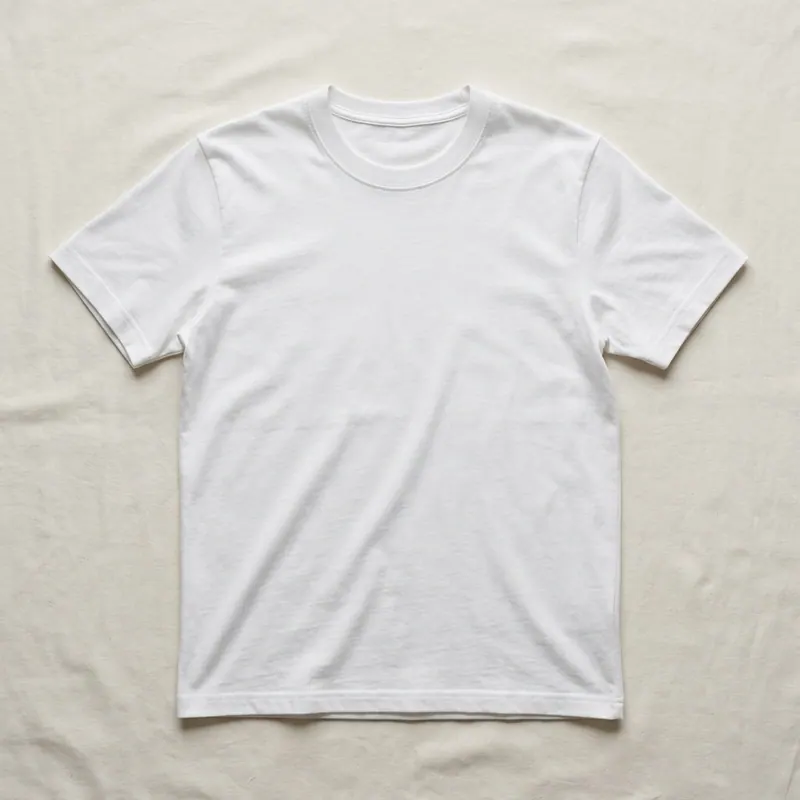
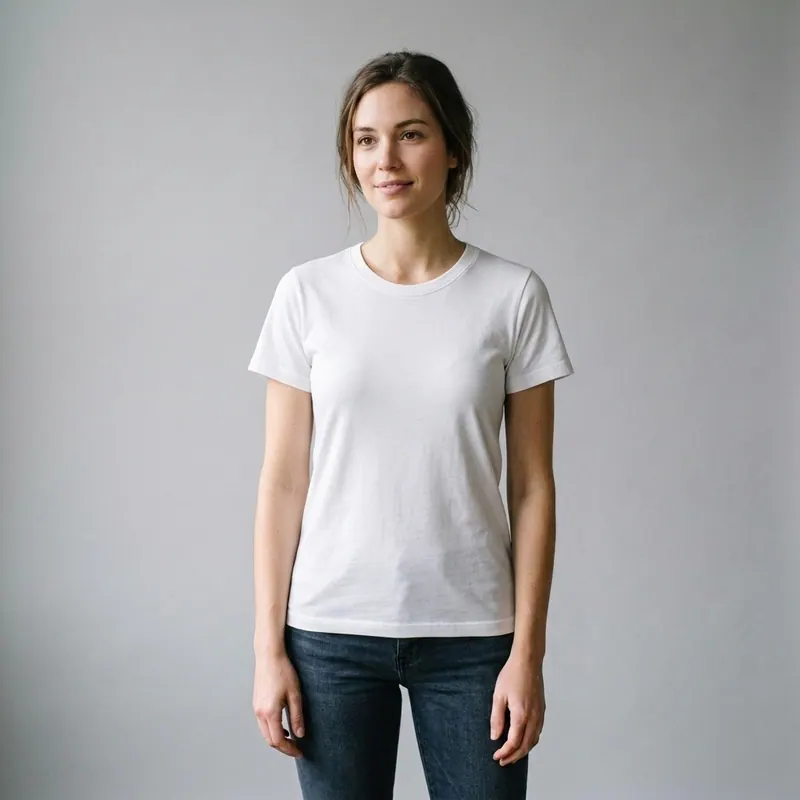
Put Clothes on My Photo. AI.
Upload your photo + the clothing image YOU found. Done in 30 sec.
You found the dress, the shirt, the suit, the bikini, the tattoo, the wig, the necklace, the jacket — somewhere online. You want to see how it looks on YOU before paying. Upload one photo of yourself + the clothing image YOU brought. The AI renders the exact garment on YOUR real body in 30 seconds. Not a sticker overlay. Not a styled mannequin. Your face, your skin tone, your proportions, the real fabric on top. Free first render, no signup.
The "put clothes on my photo AI" flow, explained
There are two photos involved: one of YOU (a selfie, half-body, full-body — whichever matches the garment you're testing), and one of the CLOTHING (a screenshot from Zara, an Instagram post, a Pinterest pin, a friend's photo, a flat-lay from a Shein listing, anything). You upload both. The AI runs a body-detection pass on your photo so it understands your real proportions, then a garment-extraction pass on the clothing photo so it understands the fabric, color and cut. Then it composites: the EXACT clothing wrapping around your actual contour, respecting your skin tone in the lighting that's already in your photo. Result: a photo that looks like you wearing that specific item — because that's what it is.
How to get a clean render the first try
- Your photo: front-facing, natural daylight, plain background, relaxed pose, hands at sides. The cleaner the source, the cleaner the output.
- Clothing photo: as high-resolution as you can find. A 200x200 thumbnail of the dress yields a blurry render. Aim for 1000px on the longest edge.
- Flat-lay clothing photos work for tops + dresses with simple cuts. Photos on a mannequin or model work better for tailored items where fit matters (suits, structured blazers).
- If the garment is patterned, use a photo with the whole pattern visible — the AI maps the pattern by extrapolating from what it sees.
- Render once, evaluate, iterate. If the first render is off, switch your source photo (try a different angle / lighting) before switching the prompt.
What you can put on your photo
Clothing — any brand, any source
Zara, Shein, ASOS, Aritzia, Reformation, Pinterest pins, screenshots from Instagram, your own sketches. Tops, dresses, pants, jackets, full outfits.
Eyewear & glasses
Ray-Ban, Persol, Warby Parker, indie frames, sunglasses. Front-facing face photo + frame image = render on your face.
Jewelry — necklaces, earrings, rings
Earrings on your earlobes, necklaces on your décolleté, rings on your finger. Each in its anatomically correct spot.
Tattoos
Any design (Pinterest, your artist's flash, a custom sketch) applied to any body area (forearm, ribs, back, hand). Realistic skin contour respect.
Nail art
Manicure designs, color swaps. Upload your hand + the nail design photo, see the look on YOUR nails.
Hairstyles
Cut, color, length swap. Drop a hairstyle reference + your selfie, see yourself in the new look.
Three things to avoid for cleaner renders
Photos with heavy filters (Snapchat, Instagram VSCO)
Filters distort facial geometry. The AI builds a render based on what it sees — a filtered face produces a filtered-face render. Use an unfiltered photo.
Mid-laugh, eyes-closed, mid-blink expressions
The AI takes the expression literally. Half-closed eyes render half-closed in the result. Pick a neutral expression for the cleanest output.
Trying to render 5 garments in one render
The AI is stronger when you swap ONE element at a time. Render the dress on you. THEN re-render adding the jacket on top of the result. Higher fidelity in two passes than one.
No signup, no app, no waiting
Upload both photos. Wait 30 seconds. Get the result. Free first render — clean HD packs from $4.99 (8 renders) if you want to keep the result without watermark.
Put it on my photo nowFREE"Put clothes on my photo" — FAQ
Try anything else on you
Tattoo simulator
Try any design on your skin
Bikini & swimwear
See it on your real body
Earrings
See them on your ears
Wedding dresses
Before booking the boutique
Nail try-on
Any design on your hands
Glasses & sunglasses
Frames on your face
Jewelry
Necklaces, rings, bracelets
Men's suits
Try the cut before the tailor
Pet clothing
On your real dog or cat
Baby clothing
On your real baby
Costumes
Halloween, parties, cosplay
Hairstyles
See it before the salon
Cosplay
Anime, games, conventions
Specific looks you can try
Engagement ring try-on
See solitaire, halo, pavé on your hand
Virtual wig try-on
Lace-front, curly, color, cosplay
Best virtual try-on app
Compared 6 tools in 2026
Best hairstyle try-on app
Cut + color compared
Best AI nail try-on
Gel, French, designs 2026
Free virtual fitting room
5 apps that actually are free
Chrome nails 2026
Pastel, mirror, glazed donut
Style oversized clothes
Without looking sloppy
Curtain bangs
Try the cut on your face
Wolf cut
Long, short, mullet, asian
Round face haircuts
Best cuts that flatter
Oval face haircuts
Styles for oval faces
Square face haircuts
Soften the jawline
Diamond face haircuts
Balance the cheekbones
Wedding guest outfit
Spring, summer, fall, winter
Bridesmaid dresses
Cheap, sage green, Azazie
Couples halloween costumes
Funny, easy, scary, DIY
Natural makeup look
No-makeup makeup tutorial
Engagement ring hand
Which finger by culture