See how it works
Real example: same person, before and after.
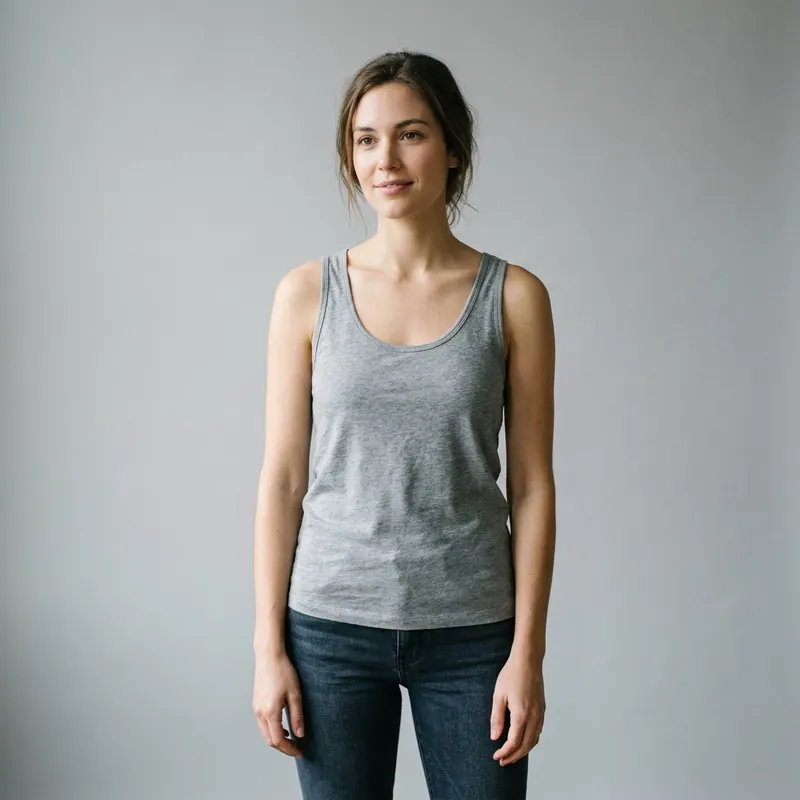
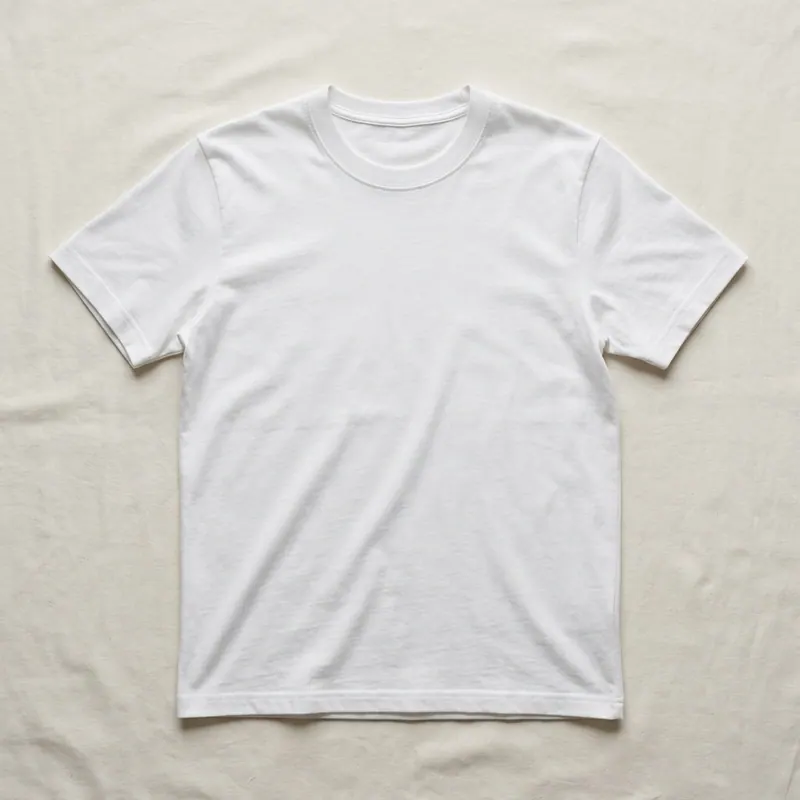
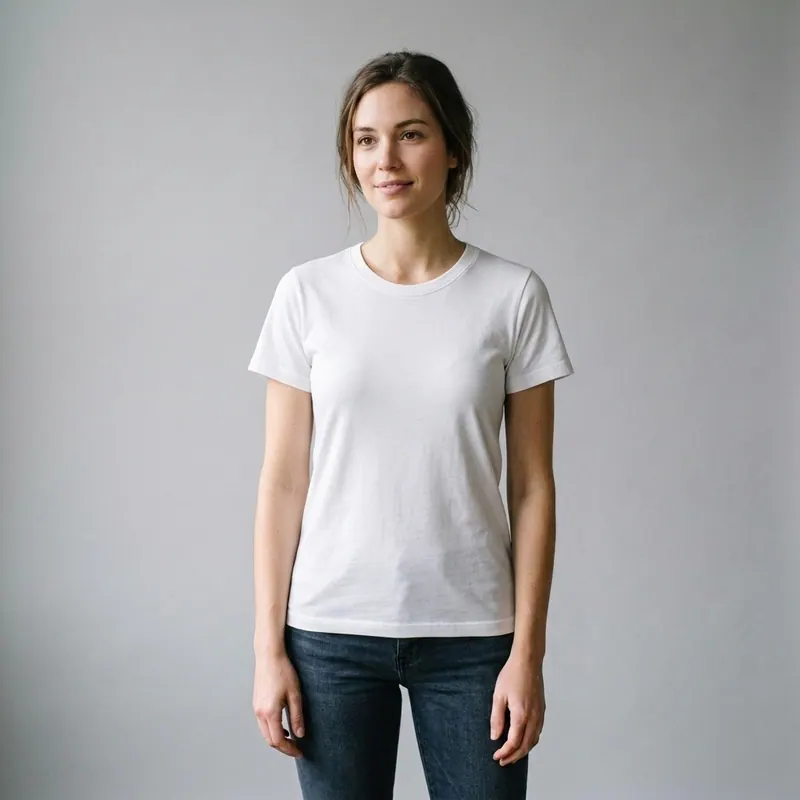
The only virtual try on for clothes with your photo, free.
Stop guessing. See how any outfit actually looks on your body.
Tired of online shopping returns? Use our AI to virtually try on any item of clothing using your own photo. Upload a picture, and see how that dress or pair of jeans fits your unique body shape in seconds. It's your personal dressing room, online.
Explore every tool in the app
Sign in for one free image preview with an agalaz.com watermark. No card for the preview. Activate an eligible trial or paid plan to download without the watermark.
Create my free previewIs It Just a Filter?
No. Other apps paste a flat image of clothes over your photo. Agalaz is different. Our AI analyzes the shape of your body and the fabric of the garment to create a realistic rendering. It understands drape, fit, and shadows, showing you how clothes will actually look on your specific figure, not just a generic model.
How to See an Item on You
- First, upload a clear, full-body photo of yourself standing straight.
- Next, upload a photo of the clothing item you want to try on.
- Our AI analyzes your body shape and the garment's style in seconds.
- We render the item directly onto your body in your original photo.
- Save your favorite try-ons and build your perfect virtual wardrobe.
For the Most Realistic Try-On
Use a Full-Body Photo
Our AI needs to see your entire silhouette to accurately predict fit from head to toe. Photos cropped at the waist or knees won't work as well.
Wear Form-Fitting Clothes
Wear leggings, a tank top, or similar simple clothes in your photo. This allows the AI to see your true body shape without baggy layers getting in the way.
Choose Simple Backgrounds
A plain wall behind you helps our AI focus entirely on you and the clothes, leading to a much cleaner and more realistic final image.
Use Good, Even Lighting
Stand in a well-lit area, facing the light source. This avoids harsh shadows that can confuse the AI and distort the way clothes appear on you.
Upload Clear Product Images
Use a clear, front-facing photo of the clothing item on a white or simple background. This provides the AI with the best data to work with.
What Ruins a Virtual Try-On
Blurry or Low-Resolution Photos
The AI can't accurately map clothes onto a photo that lacks clear detail.
Sitting or Complex Poses
For the best results, stand up straight with your arms slightly away from your body.
Busy Backgrounds or Patterns
Complex patterns behind you or on your base clothing can interfere with the rendering.
Ready to See It on Yourself?
Your free virtual dressing room is one photo away.
Start My 7-Day Free TrialFREEFrequently Asked Questions
Try anything else on you
Tattoo simulator
Try any design on your skin
Bikini & swimwear
See it on your real body
Earrings
See them on your ears
Wedding dresses
Before booking the boutique
Nail try-on
Any design on your hands
Glasses & sunglasses
Frames on your face
Jewelry
Necklaces, rings, bracelets
Men's suits
Try the cut before the tailor
Pet clothing
On your real dog or cat
Baby clothing
On your real baby
Costumes
Halloween, parties, cosplay
Hairstyles
See it before the salon
Cosplay
Anime, games, conventions
Specific looks you can try
Engagement ring try-on
See solitaire, halo, pavé on your hand
Virtual wig try-on
Lace-front, curly, color, cosplay
Best virtual try-on app
Compared 6 tools in 2026
Best hairstyle try-on app
Cut + color compared
Best AI nail try-on
Gel, French, designs 2026
Free virtual fitting room
5 apps that actually are free
Chrome nails 2026
Pastel, mirror, glazed donut
Style oversized clothes
Without looking sloppy
Curtain bangs
Try the cut on your face
Wolf cut
Long, short, mullet, asian
Round face haircuts
Best cuts that flatter
Oval face haircuts
Styles for oval faces
Square face haircuts
Soften the jawline
Diamond face haircuts
Balance the cheekbones
Wedding guest outfit
Spring, summer, fall, winter
Bridesmaid dresses
Cheap, sage green, Azazie
Couples halloween costumes
Funny, easy, scary, DIY
Natural makeup look
No-makeup makeup tutorial
Engagement ring hand
Which finger by culture