See how it works
Real example: same person, before and after.
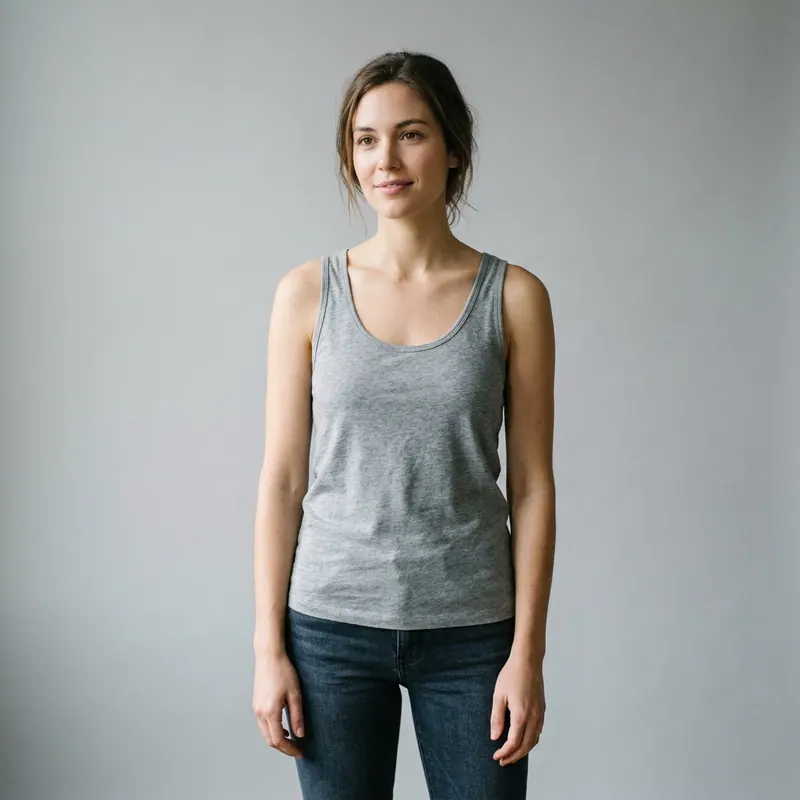
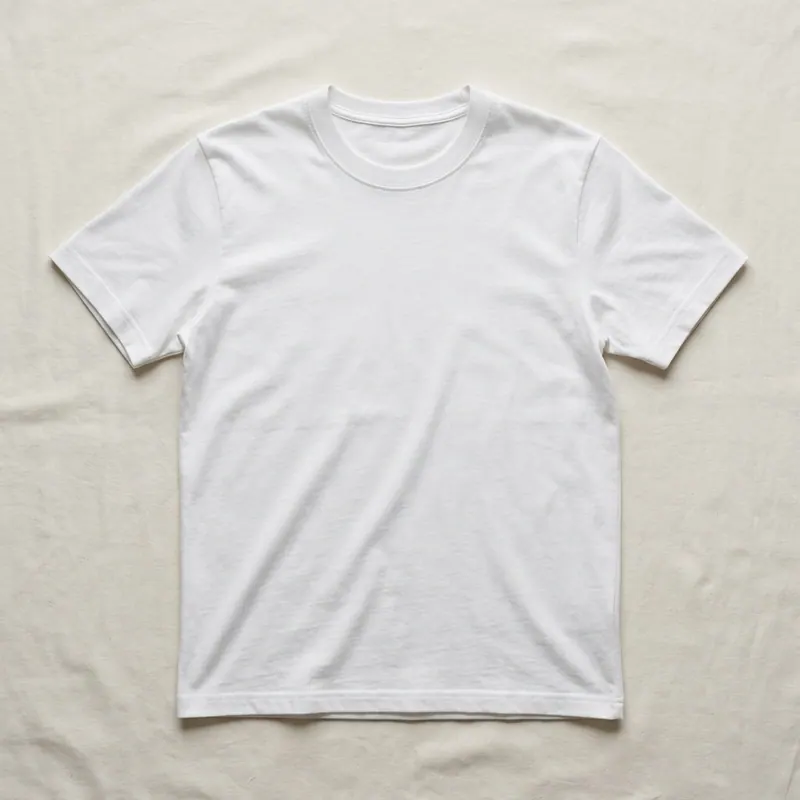
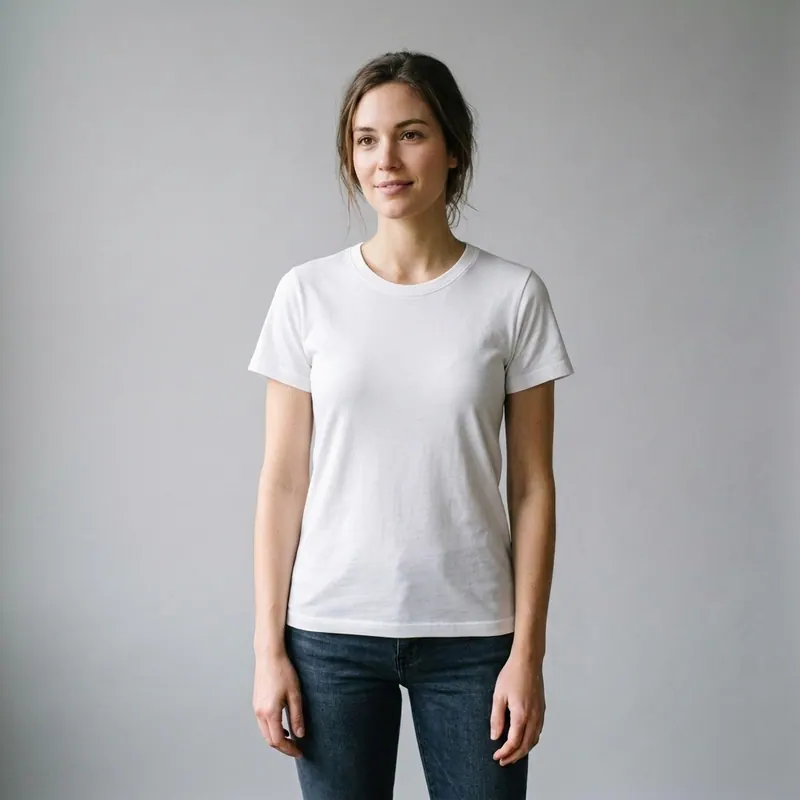
AI Clothes Changer.
Compare a new outfit on your own photo.
Open Agalaz, sign in and choose a clothing tool. Use a clear photo of yourself and an outfit reference to compare a new look before buying. Eligible accounts get two welcome previews with an Agalaz.com watermark; paid plans or credit packs unlock high-quality downloads without the watermark.
Explore every tool in the app
Sign in for a free preview with an Agalaz.com watermark. No card needed for the preview. Unlock HD without the watermark with an eligible subscription trial, a paid plan or credits.
Create my free previewWhat is an AI clothes changer?
An AI clothes changer creates a visual preview of another outfit on your photo. You can compare colours, styling and the overall appearance using an item reference. Review the generated details against your original photo; use the retailer's size chart and product information to check physical fit.
Why people use it
- Pre-purchase comparison: see the appearance of a coat or dress on your own photo before choosing which product to investigate further.
- Pinterest pin → real life: drop the pin, see it on you. No more "this looked better on her" moments.
- Wardrobe planning: pair items you already own with new pieces and check whether they actually work together.
- Holiday + event outfits: render 3-4 candidates side by side before the wedding / interview / vacation, decide on the one that suits YOUR body.
- Content creation: lookbooks, styling reels, mood boards — generate variations of the same outfit without changing clothes 12 times.
Five small choices that change the output
Front-facing daylight photo
Diffused window light, no harsh flash, no heavy filter. The AI maps fabric onto the lighting that already exists — clean source = clean output.
Whole body in frame, relaxed pose
For full outfits include head to mid-thigh at minimum. For top-only items the bust-up shot is enough.
Plain or low-contrast background
Busy backgrounds confuse outline detection. A blank wall, a calm street, a sunlit balcony all work better than a crowded room.
High-resolution reference of the outfit
A 200x200 thumbnail of the dress yields a blurry render. Aim for 1000px on the longest edge of the outfit photo.
Use multiple renders to A/B
Render the same outfit in two of your photos (one indoor, one outdoor). Compare side by side. Decide which YOU prefer.
Common mistakes
Cropped or partial body photos for full-body outfits
A dress rendered on a half-cropped silhouette will look weird because the AI has to guess where your legs end. Use a full-body source photo for dresses, pants and full-look swaps.
Mirror selfies with phone in hand
The phone occludes the torso AND the mirror flips left/right which the AI sometimes gets confused by. A friend-taken shot or a tripod selfie is the cleanest source.
Trying to render a 6-piece full outfit in one go
The AI is stronger when you swap one element at a time. Render the dress on you, then in a second pass add the jacket on top of the result. Higher fidelity than asking for everything at once.
Render before you order
Keep your photo and pose the same, then compare two outfit references. Look at the neckline, colour contrast and garment length before deciding which item to buy or try in person.
Change clothes on my photoFreeBuying one item? Compare it with what you already own
Use the clothes changer for a specific shopping decision rather than generating a completely unrelated wardrobe. Start with your own photo and one item reference. Keep the original pose and compare the appearance of that item before trying a second option.
Compare two cuts of the same garment
For example, try a shorter jacket and a longer jacket in similar colours. Keeping the rest of the outfit close to the original makes the difference in proportions easier to see. A visual preview is not evidence that either size will fit.
Compare two colours after choosing the cut
Use product references photographed in similar lighting. Compare the contrast with your existing outfit and shoes, then check retailer colour descriptions and real customer photos before ordering. Screens and generated images can change how a shade appears.
A practical shopping comparison
- Upload a clear photo and an item reference you have permission to use.
- Compare one change at a time; inspect face, hands and garment edges for AI errors.
- Check the size chart, stock, delivery and returns on the retailer’s own site.
Agalaz creates an appearance preview, not a size recommendation or a guarantee of fabric drape. The app shows sign-in requirements, eligible trial options, credits and renewal prices before you confirm a plan.
Compare the item I am consideringAI clothes changer — questions buyers actually search
Try anything else on you
Tattoo simulator
Try any design on your skin
Bikini & swimwear
See it on your real body
Earrings
See them on your ears
Wedding dresses
Before booking the boutique
Nail try-on
Any design on your hands
Glasses & sunglasses
Frames on your face
Jewelry
Necklaces, rings, bracelets
Men's suits
Try the cut before the tailor
Pet clothing
On your real dog or cat
Baby clothing
On your real baby
Costumes
Halloween, parties, cosplay
Hairstyles
See it before the salon
Cosplay
Anime, games, conventions
Specific looks you can try
Engagement ring try-on
See solitaire, halo, pavé on your hand
Virtual wig try-on
Lace-front, curly, color, cosplay
Best virtual try-on app
Compared 6 tools in 2026
Best hairstyle try-on app
Cut + color compared
Best AI nail try-on
Gel, French, designs 2026
Free virtual fitting room
5 apps that actually are free
Chrome nails 2026
Pastel, mirror, glazed donut
Style oversized clothes
Without looking sloppy
Curtain bangs
Try the cut on your face
Wolf cut
Long, short, mullet, asian
Round face haircuts
Best cuts that flatter
Oval face haircuts
Styles for oval faces
Square face haircuts
Soften the jawline
Diamond face haircuts
Balance the cheekbones
Wedding guest outfit
Spring, summer, fall, winter
Bridesmaid dresses
Cheap, sage green, Azazie
Couples halloween costumes
Funny, easy, scary, DIY
Natural makeup look
No-makeup makeup tutorial
Engagement ring hand
Which finger by culture