See how it works
Real example: same person, before and after.

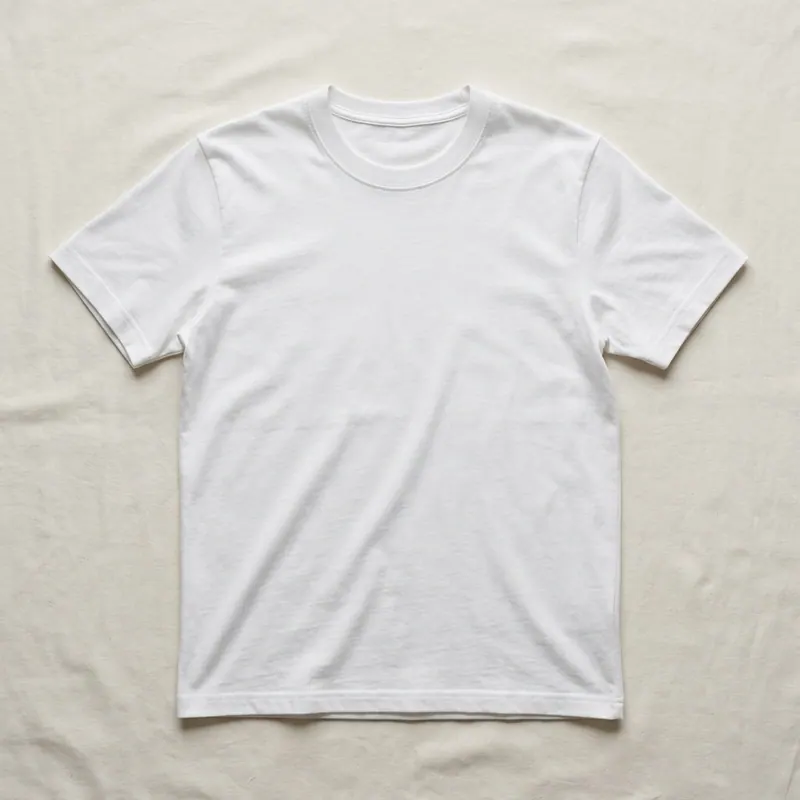

Calvin Klein virtual try-on
see any calvinklein.com piece on YOUR body first.
Calvin Klein virtual try-on with AI. Pull any product from calvinklein.com — jeans, hoodies, the iconic underwear, slim suits, bralettes, jersey dresses — drop the screenshot here together with your photo, and our AI renders the exact piece on your body in 30 seconds. Decide the size, the fit and the look BEFORE the order ships from Calvin Klein.
Why Calvin Klein returns are so common
Calvin Klein's house silhouette is deliberately narrow — slim jeans run a half-size smaller than most fast-fashion brands, the modern-fit suits are cut close to the body, and the underwear sizing chart still references US conventions (XS-XL) that don't map cleanly to EU/UK measurements. Add the difference between the brand's own website (calvinklein.com), the EU storefront (calvinklein.us vs calvinklein.es vs calvinklein.de) and third-party retailers (Zalando, ASOS, El Corte Inglés), and the same SKU can fit three different ways depending on where you bought it. Returns from Calvin Klein orders run above industry average for exactly this reason. A virtual render on YOUR photo shows the actual proportions before the package ships — render once, order once.
How to try Calvin Klein virtually on agalaz.com
- Open calvinklein.com (or your regional Calvin Klein storefront) and screenshot the product photo — the front-facing one on a plain background works best.
- Upload one clean full-body photo of yourself (natural light, plain wall, single person in frame).
- Pick the category (clothing for jeans/suits/dresses, underwear for the bralette/brief lines) so the AI applies the right fit logic.
- Wait 30 seconds. The render lands with the actual Calvin Klein piece on your real body — proportions, colour, fabric tone preserved.
- If the fit looks tight, try a render in the next size up before ordering — costs nothing, beats a return label.
Five Calvin Klein product lines worth a virtual render
Calvin Klein jeans (skinny, slim, 90s straight)
The skinny vs. slim vs. straight cuts read very differently on different builds. Render before ordering — the 90s straight is cut HIGH on the waist and a lot of shoppers don't realise until it arrives.
Calvin Klein bralettes + the iconic underwear set
The 1990s logo waistband sits differently on every body. A render on your photo shows whether the band hits where calvinklein.com's model has it.
Calvin Klein modern-fit suits + blazers
Modern fit = narrower in the shoulder than classic. The Calvin Klein suit shop on calvinklein.com sells two cuts of the same jacket — virtual render shows which one your shoulder line actually wants.
Calvin Klein hoodies + monogram sweatshirts
CK hoodies are cut shorter in the body than Champion / Nike equivalents. Render to confirm the cropped look you're after is what you'll actually receive.
Calvin Klein jersey dresses + minimalist slip dresses
The jersey-knit slip dress relies entirely on body proportions — a 1cm difference in the strap drop changes the entire silhouette. Render once on YOUR photo, then order the size that hangs right.
What the virtual try-on cannot replace
Knowing the fabric weight by touch
AI renders preserve VISUAL fit and silhouette. Fabric drape, stretch percentage and the weight of CK's heavier denim only reveal themselves on the actual garment — use the calvinklein.com fabric descriptions for that.
Cross-checking the official Calvin Klein size chart
The render shows how a size looks. For the underlying measurement (chest, waist, inseam) still cross-reference the size table on calvinklein.com so the virtual fit matches the physical fit.
Buying from the official store for guarantees
Agalaz is the preview layer. Once you've picked the size, complete the purchase on calvinklein.com (or your authorised regional retailer) so warranty + returns are handled by Calvin Klein directly.
Render once before you order from calvinklein.com
Calvin Klein's 30-day returns policy is generous, but every return is a trip to the post office. One free render here, then one purchase from calvinklein.com — the size you already saw on yourself. Most users save a return on their very first try.
Try a Calvin Klein piece on my photoFREEOne pack unlocks every Agalaz feature
Buying the Starter pack or higher doesn't just unlock this one page. You get unlimited access to every category at agalaz.com/virtual-try-on: clothes, dresses, swimwear, glasses, jewelry, engagement rings, tattoos, costumes, hairstyles, makeup, nails, pet outfits — even cosplay. Same photoreal render quality, same speed.
See everything at /virtual-try-onThe free demo proved it works.
Now keep your renders.
Free renders ship with a watermark and a single attempt per day — useful for "does this even work" but not for the screenshot you actually want to share. Only Smart Play includes a 7-day free trial. Cancel anytime.
Free demo
- ✕Watermarked image (unusable to share)
- ✕1 render per day per browser
- ✕No retries on the same prompt
- ✕Lower-quality model (faster but less accurate)
Paid plan
- Clean HD render, no watermark
- 10–200 HD renders per period
- Retry with different photos as needed
- Premium AI model for jewelry, fit, faces
No card charged during the trial · receipt arrives here
HD Pack
16 HD renders
Pay once · credits never expire
Smart Play
200 HD renders / year
$0.15 per render
HD Pack
50 HD renders
$0.20 each · credits never expire
Smart Play starts with a 7-day free trial — cancel anytime. Both packs are one-time; credits never expire.
1,247 people started a plan this month
Calvin Klein virtual try-on — questions
Try anything else on you
Tattoo simulator
Try any design on your skin
Bikini & swimwear
See it on your real body
Earrings
See them on your ears
Wedding dresses
Before booking the boutique
Nail try-on
Any design on your hands
Glasses & sunglasses
Frames on your face
Jewelry
Necklaces, rings, bracelets
Men's suits
Try the cut before the tailor
Pet clothing
On your real dog or cat
Baby clothing
On your real baby
Costumes
Halloween, parties, cosplay
Hairstyles
See it before the salon
Cosplay
Anime, games, conventions
Specific looks you can try
Engagement ring try-on
See solitaire, halo, pavé on your hand
Virtual wig try-on
Lace-front, curly, color, cosplay
Best virtual try-on app
Compared 6 tools in 2026
Best hairstyle try-on app
Cut + color compared
Best AI nail try-on
Gel, French, designs 2026
Free virtual fitting room
5 apps that actually are free
Chrome nails 2026
Pastel, mirror, glazed donut
Style oversized clothes
Without looking sloppy
Curtain bangs
Try the cut on your face
Wolf cut
Long, short, mullet, asian
Round face haircuts
Best cuts that flatter
Oval face haircuts
Styles for oval faces
Square face haircuts
Soften the jawline
Diamond face haircuts
Balance the cheekbones
Wedding guest outfit
Spring, summer, fall, winter
Bridesmaid dresses
Cheap, sage green, Azazie
Couples halloween costumes
Funny, easy, scary, DIY
Natural makeup look
No-makeup makeup tutorial
Engagement ring hand
Which finger by culture
Agalaz Studio
Everything you just saw, on you.
One studio for every try-on — clothing, hair, nails, tattoos, full outfits. Your first render is free.
Free credit at sign-up · no card