See how it works
Real example: same person, before and after.
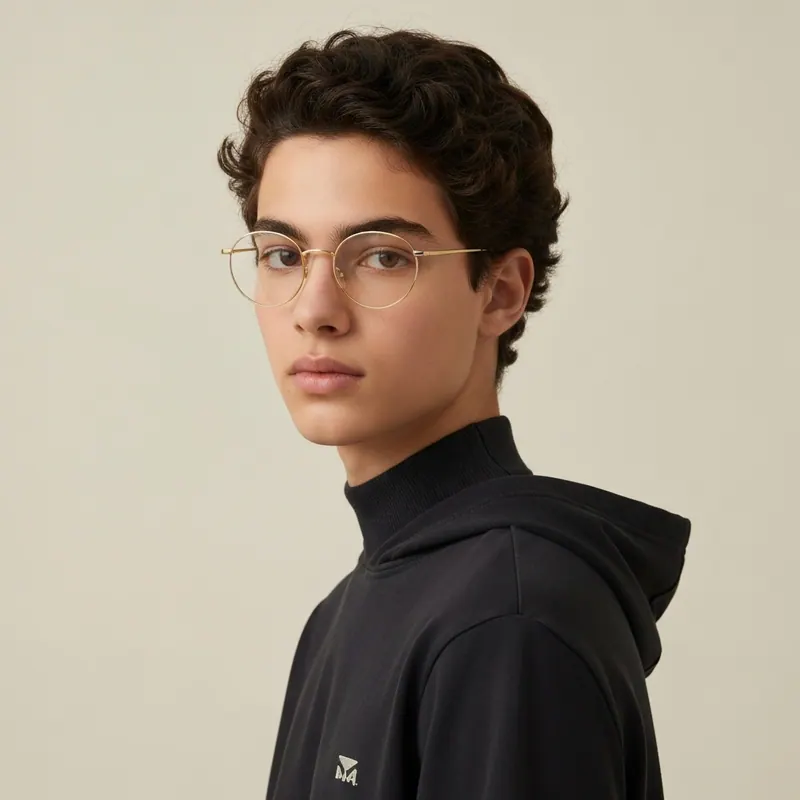
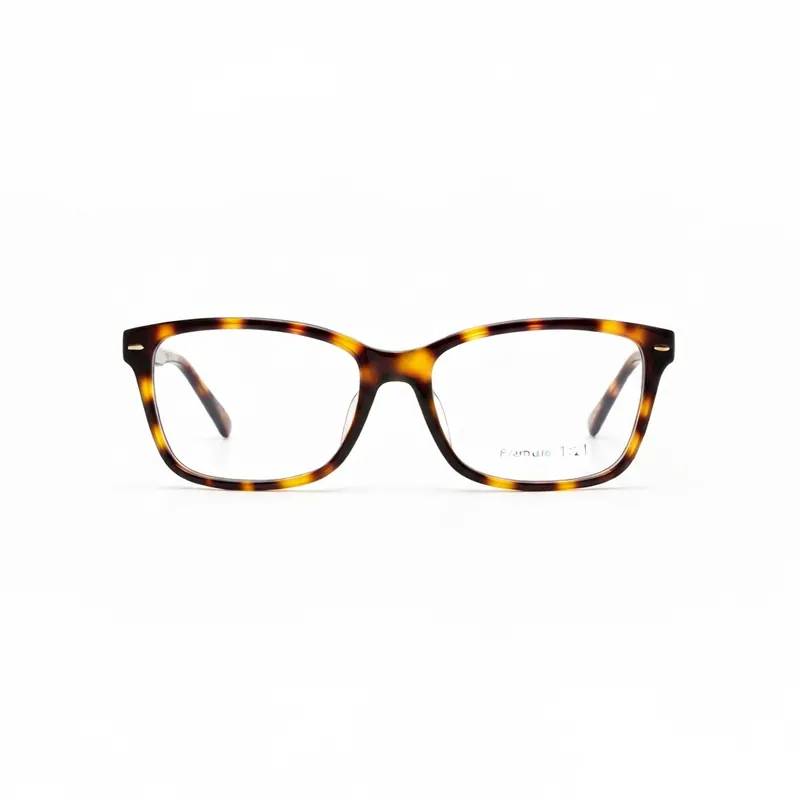
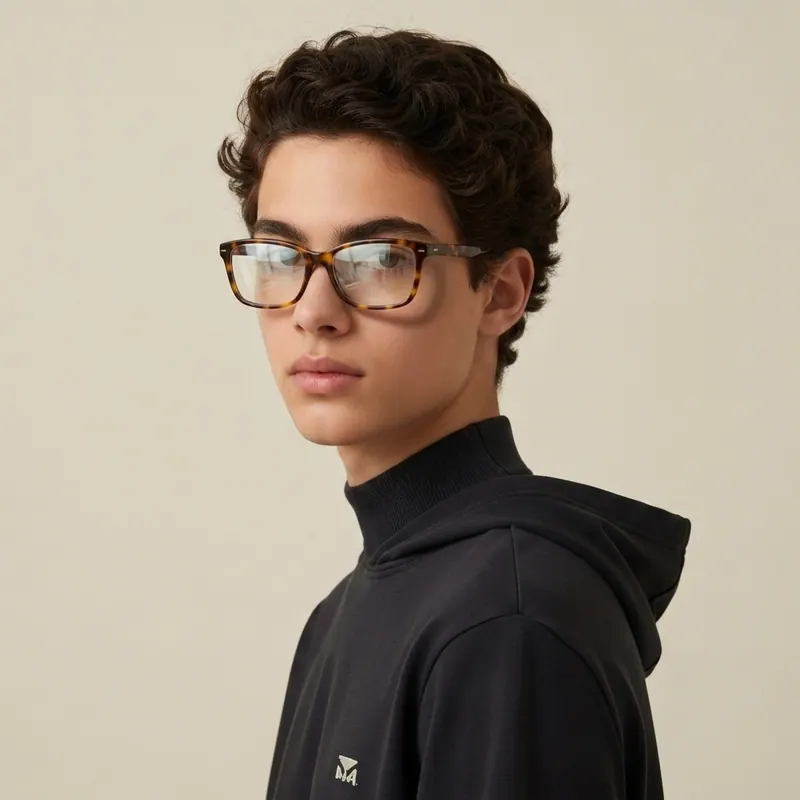
Glasses simulator — upload your photo, try ANY frame online
no model, no avatar, no AR — YOUR real face.
Most "glasses simulators" use a generic model or a cartoon avatar. This one uses YOUR real photo. Upload a face shot from your phone, drop any frame (Ray-Ban, Warby Parker, Oliver Peoples, Zenni, Persol, Gentle Monster, Cubitts) and AI renders the glasses on YOUR face in 30 seconds. Free first render.
Why "photo upload" beats AR + generic models
AR glasses try-on (Warby Parker, EyeBuyDirect) needs camera access, only works on supported devices, and the live face-tracking distortion is unflattering. Generic-model simulators show frames on a face that isn't yours. Photo-upload simulators are the third way: pick the BEST photo of you (good light, neutral angle), upload it, and see frames on the version of your face that you actually like.
How the photo-upload glasses simulator works
- Pick your favorite face photo — well-lit, no current glasses, neutral angle
- Upload from camera roll (or take a fresh one — no AR camera needed)
- Drop any frame — screenshot from Warby Parker, Ray-Ban, Zenni, vintage Etsy
- AI renders the frame on YOUR face in 30 seconds with correct fit + shadow
- Iterate via chat: "in tortoiseshell", "thicker frame", "smaller lens", "gold metal"
6 cases where photo-upload beats AR live-try
You wear current glasses
AR try-on can't remove your existing glasses from the live feed. Photo upload + AI swaps cleanly.
You want side-by-side compare
AR shows one frame at a time. Upload + render 5 frames on the same photo — true side-by-side.
You want to show family/partner
AR live-try can't be screenshotted easily. Photo render = saveable PNG you can text and ask.
Your phone doesn't support AR
iPhone 8 and older + many Android models have no AR-Kit. Photo upload works on every device with a browser.
You want better lighting than your bathroom
AR uses your live camera lighting (usually overhead and harsh). Upload a photo with good lighting and the frames render against the right skin tone.
You want to try vintage / non-major-brand frames
Warby Parker AR only shows Warby Parker frames. Photo upload works with ANY frame — Etsy vintage, indie eyewear, old family heirlooms.
What NOT to do
Trust a generic-model simulator
The face shape is not yours. The result tells you nothing useful.
Buy frames based on the product page model
Frame proportions vs face are unique. The model is 6-foot-1 with a different face shape than yours.
Skip the iteration step
Try 5 frame styles, not 1. The "obvious right one" rarely is — the comparison reveals which one actually flatters.
Before $80-400 in frames
Upload your best face photo, try every frame you're considering, save the renders, and pick the winner with zero return friction.
Upload photo nowFREEOne pack unlocks every Agalaz feature
Buying the Starter pack or higher doesn't just unlock this one page. You get unlimited access to every category at agalaz.com/virtual-try-on: clothes, dresses, swimwear, glasses, jewelry, engagement rings, tattoos, costumes, hairstyles, makeup, nails, pet outfits — even cosplay. Same photoreal render quality, same speed.
See everything at /virtual-try-onThe free demo proved it works.
Now keep your renders.
Free renders ship with a watermark and a single attempt per day — useful for "does this even work" but not for the screenshot you actually want to share. Only Smart Play includes a 7-day free trial. Cancel anytime.
Free demo
- ✕Watermarked image (unusable to share)
- ✕1 render per day per browser
- ✕No retries on the same prompt
- ✕Lower-quality model (faster but less accurate)
Paid plan
- Clean HD render, no watermark
- 10–200 HD renders per period
- Retry with different photos as needed
- Premium AI model for jewelry, fit, faces
No card charged during the trial · receipt arrives here
HD Pack
16 HD renders
Pay once · credits never expire
Smart Play
200 HD renders / year
$0.15 per render
HD Pack
50 HD renders
$0.20 each · credits never expire
Smart Play starts with a 7-day free trial — cancel anytime. Both packs are one-time; credits never expire.
1,247 people started a plan this month
Glasses photo-upload simulator FAQ
Try anything else on you
Tattoo simulator
Try any design on your skin
Bikini & swimwear
See it on your real body
Earrings
See them on your ears
Wedding dresses
Before booking the boutique
Nail try-on
Any design on your hands
Glasses & sunglasses
Frames on your face
Jewelry
Necklaces, rings, bracelets
Men's suits
Try the cut before the tailor
Pet clothing
On your real dog or cat
Baby clothing
On your real baby
Costumes
Halloween, parties, cosplay
Hairstyles
See it before the salon
Cosplay
Anime, games, conventions
Specific looks you can try
Engagement ring try-on
See solitaire, halo, pavé on your hand
Virtual wig try-on
Lace-front, curly, color, cosplay
Best virtual try-on app
Compared 6 tools in 2026
Best hairstyle try-on app
Cut + color compared
Best AI nail try-on
Gel, French, designs 2026
Free virtual fitting room
5 apps that actually are free
Chrome nails 2026
Pastel, mirror, glazed donut
Style oversized clothes
Without looking sloppy
Curtain bangs
Try the cut on your face
Wolf cut
Long, short, mullet, asian
Round face haircuts
Best cuts that flatter
Oval face haircuts
Styles for oval faces
Square face haircuts
Soften the jawline
Diamond face haircuts
Balance the cheekbones
Wedding guest outfit
Spring, summer, fall, winter
Bridesmaid dresses
Cheap, sage green, Azazie
Couples halloween costumes
Funny, easy, scary, DIY
Natural makeup look
No-makeup makeup tutorial
Engagement ring hand
Which finger by culture
Agalaz Studio
Everything you just saw, on you.
One studio for every try-on — clothing, hair, nails, tattoos, full outfits. Your first render is free.
Free credit at sign-up · no card