See how it works
Real example: same person, before and after.

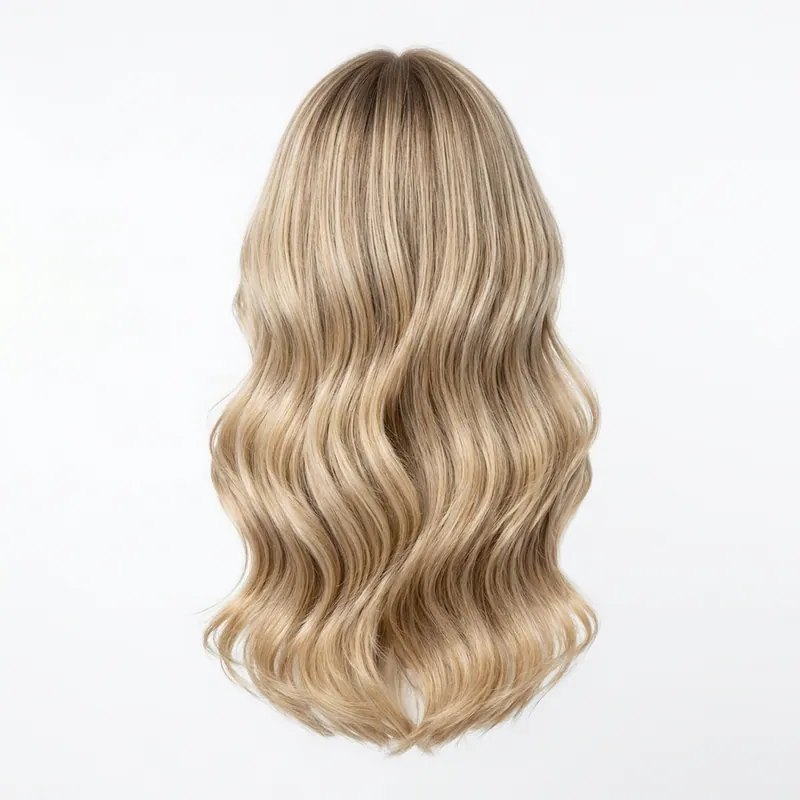

Hairstyle simulator —
preview any cut on your photo.
A hairstyle simulator that uses your real face, not a cartoon avatar. Upload one selfie and simulate any haircut, length or colour photorealistically in about 30 seconds. Free first render, no signup, no app.
Try it on — free
👆 Pick a model and a style above to generate
Best photo to upload: a clear front-facing selfie — good light, hair off your face.
What is a hairstyle simulator?
A hairstyle simulator lets you preview a haircut on a photo of yourself before it becomes reality. The best ones don't drop a flat overlay onto a generic head — they render the new hair onto your actual face, keeping your bone structure, hairline, skin tone and lighting so the simulation is genuinely representative of the result. Think of it as a fitting room for your hair. You can simulate a dozen looks in the time it takes to describe one to a stylist: short versus long, bangs versus no bangs, warm blonde versus cool brown. Because every simulation runs on the same face — yours — the comparison is fair, and the look you choose is one you have already seen on yourself.
How to read your simulation
- Check the face framing: watch where layers, a fringe or the cut's perimeter land on your jaw, cheekbones and collarbone.
- Judge the length against your neck and shoulders: a short crop can lengthen the neck, while heavy long layers can shorten a smaller frame.
- Look at the fringe interaction: simulate bangs specifically against your eyebrows, eye shape and forehead height before you decide.
- Factor in your hair type: overlay the simulation mentally on your real density and curl — styling effort differs a lot between fine and thick hair.
- Simulate colour under your lighting: the same shade can look warm or ashy depending on skin tone, so preview it before the dye.
Styles worth simulating first
Long layers with face-framing
Vertical movement that flatters most face shapes — a safe, versatile first simulation.
Curtain bangs
Softens the forehead and frames the eyes; simulate before committing since bangs are hard to undo.
Collarbone lob
The universal flatterer — simulate it to see how much it slims the lower face.
Textured pixie
A dramatic change that reads best when you can preview the height and shape on your own head.
Soft waves on mid-length hair
Adds body and dimension; the simulator shows whether the volume suits your proportions.
Sleek straight bob
Clean and modern — simulate to check how the blunt line meets your jaw.
Looks to simulate carefully first
Blunt fringe on a round face
The horizontal line visually widens and shortens the face — the simulator makes this obvious fast.
Flat, layer-free long hair on fine hair
No movement means the style falls flat and looks thinner than it is.
A jaw-length bob when you want a slimming effect
Ending the cut at the widest point of the jaw adds width — simulate a lob instead.
Simulate it on your own face
No avatar, no guesswork. Upload your photo, simulate as many cuts and colours as you like, and screenshot the winner. Your first simulation is free.
Run my simulationFREEOne pack unlocks every Agalaz feature
Buying the Starter pack or higher doesn't just unlock this one page. You get unlimited access to every category at agalaz.com/virtual-try-on: clothes, dresses, swimwear, glasses, jewelry, engagement rings, tattoos, costumes, hairstyles, makeup, nails, pet outfits — even cosplay. Same photoreal render quality, same speed.
See everything at /virtual-try-onThe free demo proved it works.
Now keep your renders.
Free renders ship with a watermark and a single attempt per day — useful for "does this even work" but not for the screenshot you actually want to share. Cancel anytime.
Free demo
- ✕Watermarked image (unusable to share)
- ✕1 render per day per browser
- ✕No retries on the same prompt
- ✕Lower-quality model (faster but less accurate)
Paid plan
- Clean HD render, no watermark
- 10–200 HD renders per period
- Retry with different photos as needed
- Premium AI model for jewelry, fit, faces
1,247 people started a plan this month
Frequently asked questions
Try anything else on you
Tattoo simulator
Try any design on your skin
Bikini & swimwear
See it on your real body
Earrings
See them on your ears
Wedding dresses
Before booking the boutique
Nail try-on
Any design on your hands
Glasses & sunglasses
Frames on your face
Jewelry
Necklaces, rings, bracelets
Men's suits
Try the cut before the tailor
Pet clothing
On your real dog or cat
Baby clothing
On your real baby
Costumes
Halloween, parties, cosplay
Hairstyles
See it before the salon
Cosplay
Anime, games, conventions
Specific looks you can try
Virtual try-on
Clothes, outfits, any style on you
Put clothes on my photo
Upload a photo, dress it with AI
Virtual dressing room
Your online fitting room
Engagement ring try-on
See solitaire, halo, pavé on your hand
Virtual wig try-on
Lace-front, curly, color, cosplay
Best virtual try-on app
Compared 6 tools in 2026
Best hairstyle try-on app
Cut + color compared
Best AI nail try-on
Gel, French, designs 2026
Free virtual fitting room
5 apps that actually are free
Chrome nails 2026
Pastel, mirror, glazed donut
Style oversized clothes
Without looking sloppy
Curtain bangs
Try the cut on your face
Wolf cut
Long, short, mullet, asian
Round face haircuts
Best cuts that flatter
Oval face haircuts
Styles for oval faces
Square face haircuts
Soften the jawline
Diamond face haircuts
Balance the cheekbones
Wedding guest outfit
Spring, summer, fall, winter
Bridesmaid dresses
Cheap, sage green, Azazie
Couples halloween costumes
Funny, easy, scary, DIY
Natural makeup look
No-makeup makeup tutorial
Engagement ring hand
Which finger by culture