See how it works
Real example: same person, before and after.


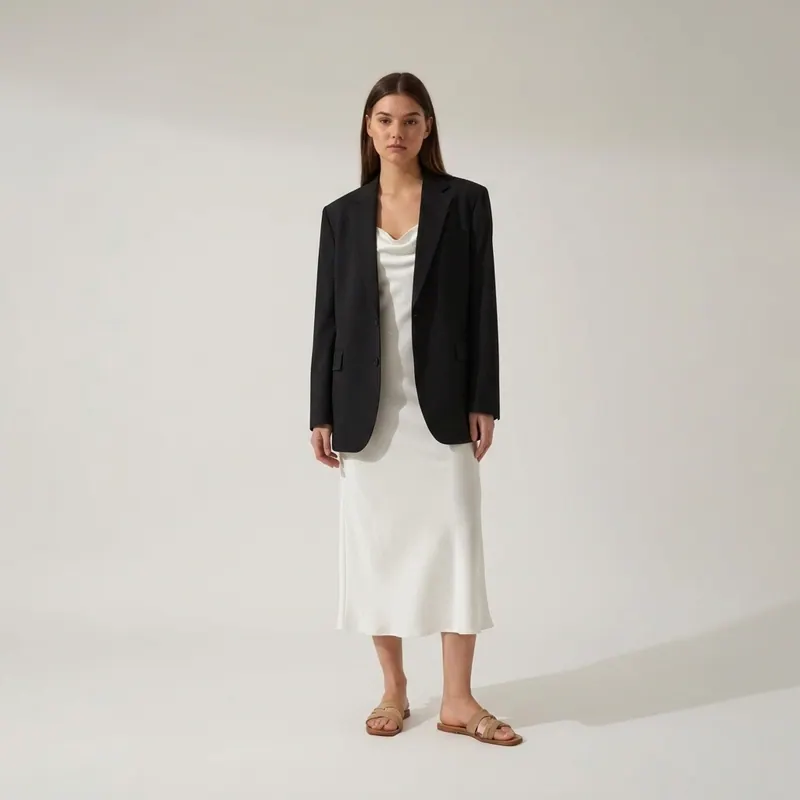
Try On Different Shirts On
My Photo Online Free.
Try On Different Shirts On My Photo Online Free — see it on YOUR real photo in 30 seconds with our AI virtual try-on. Free first render, sign in to create your preview, judge the look on YOU before you spend a euro.
Explore every tool in the app
Sign in for a free preview with an Agalaz.com watermark. No card needed for the preview. Unlock HD without the watermark with an eligible subscription trial, a paid plan or credits.
Create my free previewWhat is try on different shirts on my photo online free?
Discover the transformative power of a well-chosen shirt, a cornerstone of any modern wardrobe, echoing Zara's keen eye for contemporary style. Whether it’s a crisp button-down defining a sharp silhouette or a fluid satin blouse adding effortless sophistication, the right shirt instantly elevates your ensemble. Seeing these diverse cuts and textures on your actual photo* offers an invaluable perspective, revealing how different styles interact with your unique frame and existing pieces before you commit. Consider the interplay of fabric and fit: a structured poplin holds its shape for a powerful statement, while a relaxed linen blend offers breathable comfort and an effortlessly chic drape. The virtual preview highlights crucial details—from the precise shoulder fit to how a bold print or delicate embroidery settles against your natural contours. This visual insight helps you perfect your selection, ensuring your chosen shirt flatters your form and aligns seamlessly with your personal aesthetic for any occasion.
Why this matters
- Observe precisely where the shoulder seam falls on your image; too wide suggests an intentionally oversized look, too narrow can pull uncomfortably across the bust or back.
- Note how the fabric falls on your body. Does a stiff cotton create desired structure, or does a flowing viscose drape with elegant movement around your midsection?
- Evaluate how different collar styles – a sharp point, a relaxed revere, or a classic button-down – frame your* face and complement your neck length.
- Pay attention to the sleeve volume and length. Does a puffed sleeve balance your shoulders, or does a tailored cuff sit perfectly at your wrist, allowing for a chic roll?
- Assess how large-scale prints translate on your specific frame, and for lighter fabrics, check the perceived opacity against your skin tone for confidence in layering or solo wear.
Top picks
A-line silhouette in solid color
Flatters every body type and photographs cleanly.
Midi length just below the knee
Universally appropriate without being boring.
Tailored fit through the bodice
Defines the waist without restricting movement.
Subtle texture (lace, eyelet, organza)
Adds visual interest without competing with the cut.
Sleeves with a defined point (cap, 3/4, long)
Frames the arm and looks polished in photos.
See it on YOU first
One photo, thirty seconds, your render. No login for the first try, no card on file, no marketing email landing in your inbox tomorrow.
Try it on my photoFreeFrequently asked questions
Related searches
Try anything else on you
Tattoo simulator
Try any design on your skin
Bikini & swimwear
See it on your real body
Earrings
See them on your ears
Wedding dresses
Before booking the boutique
Nail try-on
Any design on your hands
Glasses & sunglasses
Frames on your face
Jewelry
Necklaces, rings, bracelets
Men's suits
Try the cut before the tailor
Pet clothing
On your real dog or cat
Baby clothing
On your real baby
Costumes
Halloween, parties, cosplay
Hairstyles
See it before the salon
Cosplay
Anime, games, conventions
Specific looks you can try
Engagement ring try-on
See solitaire, halo, pavé on your hand
Virtual wig try-on
Lace-front, curly, color, cosplay
Best virtual try-on app
Compared 6 tools in 2026
Best hairstyle try-on app
Cut + color compared
Best AI nail try-on
Gel, French, designs 2026
Free virtual fitting room
5 apps that actually are free
Chrome nails 2026
Pastel, mirror, glazed donut
Style oversized clothes
Without looking sloppy
Curtain bangs
Try the cut on your face
Wolf cut
Long, short, mullet, asian
Round face haircuts
Best cuts that flatter
Oval face haircuts
Styles for oval faces
Square face haircuts
Soften the jawline
Diamond face haircuts
Balance the cheekbones
Wedding guest outfit
Spring, summer, fall, winter
Bridesmaid dresses
Cheap, sage green, Azazie
Couples halloween costumes
Funny, easy, scary, DIY
Natural makeup look
No-makeup makeup tutorial
Engagement ring hand
Which finger by culture
Run an online business?
Add Agalaz virtual try-on to your store in two clicks so customers can see how each item looks on them.