See how it works
Real example: same person, before and after.

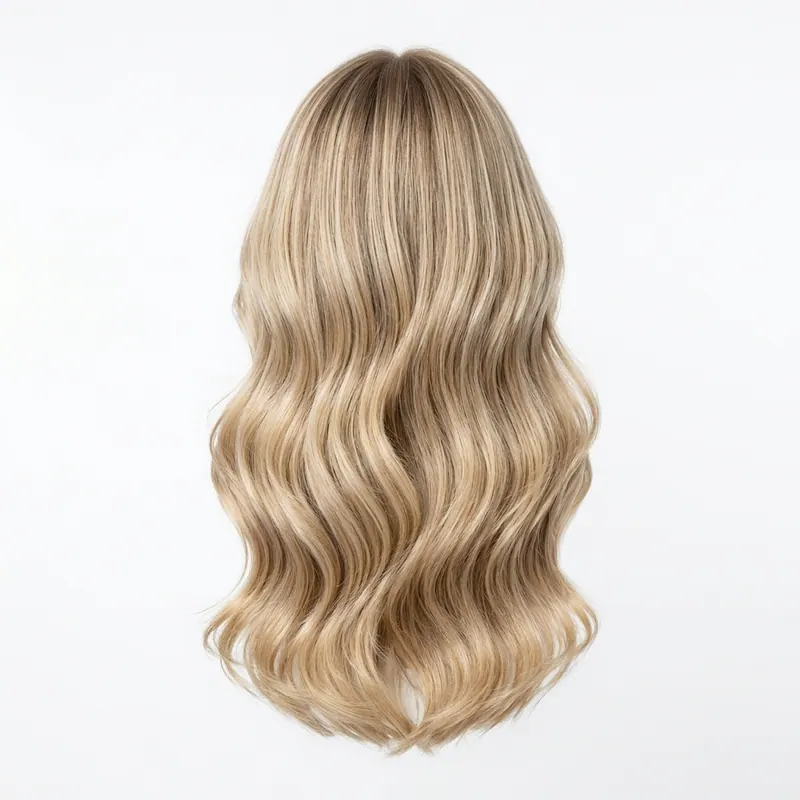

Virtual hair extension simulator — upload photo
see length, volume, color BEFORE the $500 install.
Hair extensions cost $200-2000 and last 6-12 months. The wrong length, volume, or color = months of regret. Upload your photo, pick length + color, AI shows the extensions on YOUR head in 30 sec. Free first render.
Why preview extensions BEFORE the salon
Tape-ins ($200-600), micro-links ($600-1200), wefts ($800-2000) — all semi-permanent for 6-12 months. The wrong call costs you the install fee + months of looking off. The simulator predicts length, volume, color, and density on YOUR hair before the irreversible appointment.
How the extension simulator works
- Upload your photo — current hair visible
- Pick length (12", 16", 20", 24"), color, volume, texture
- AI renders the extensions on YOUR head in 30 sec — color-matched to your roots
- Iterate: "more volume", "balayage instead of solid", "darker at root"
- Save 3 lengths + colors, decide before the consultation
5 extension questions this answers
Length — 16" vs 20" vs 24"
Length looks dramatically different on tall vs petite frames. Simulator shows real proportion.
Volume — single vs double weft
Too thin = visible extension line. Too thick = unnatural. Find the sweet spot first.
Color match
Solid color vs balayage vs ombre. See which blends with YOUR roots.
Curl pattern
Straight, body wave, deep wave, curly — see which matches your texture or styling habits.
Highlight placement
Money piece, face frame, all-over highlights. Preview placement before the dye.
What NOT to do
Trust the Instagram before/after
Filters, lighting, angles. Simulator shows real-light real-angle preview.
Skip the length test
Long extensions cost the most + show the most. Test length first.
Pick color in salon light only
Salon light ≠ daylight. Simulate in natural-light photo.
Before the $500-2000 install
Test 3 lengths + 3 colors in 5 min. Walk into the salon with one decided look.
Try extensions on meFREEOne pack unlocks every Agalaz feature
Buying the Starter pack or higher doesn't just unlock this one page. You get unlimited access to every category at agalaz.com/virtual-try-on: clothes, dresses, swimwear, glasses, jewelry, engagement rings, tattoos, costumes, hairstyles, makeup, nails, pet outfits — even cosplay. Same photoreal render quality, same speed.
See everything at /virtual-try-onThe free demo proved it works.
Now keep your renders.
Free renders ship with a watermark and a single attempt per day — useful for "does this even work" but not for the screenshot you actually want to share. Only Smart Play includes a 7-day free trial. Cancel anytime.
Free demo
- ✕Watermarked image (unusable to share)
- ✕1 render per day per browser
- ✕No retries on the same prompt
- ✕Lower-quality model (faster but less accurate)
Paid plan
- Clean HD render, no watermark
- 10–200 HD renders per period
- Retry with different photos as needed
- Premium AI model for jewelry, fit, faces
No card charged during the trial · receipt arrives here
HD Pack
16 HD renders
Pay once · credits never expire
Smart Play
200 HD renders / year
$0.15 per render
HD Pack
50 HD renders
$0.20 each · credits never expire
Smart Play starts with a 7-day free trial — cancel anytime. Both packs are one-time; credits never expire.
1,247 people started a plan this month
Virtual hair extension simulator FAQ
Try anything else on you
Tattoo simulator
Try any design on your skin
Bikini & swimwear
See it on your real body
Earrings
See them on your ears
Wedding dresses
Before booking the boutique
Nail try-on
Any design on your hands
Glasses & sunglasses
Frames on your face
Jewelry
Necklaces, rings, bracelets
Men's suits
Try the cut before the tailor
Pet clothing
On your real dog or cat
Baby clothing
On your real baby
Costumes
Halloween, parties, cosplay
Hairstyles
See it before the salon
Cosplay
Anime, games, conventions
Specific looks you can try
Engagement ring try-on
See solitaire, halo, pavé on your hand
Virtual wig try-on
Lace-front, curly, color, cosplay
Best virtual try-on app
Compared 6 tools in 2026
Best hairstyle try-on app
Cut + color compared
Best AI nail try-on
Gel, French, designs 2026
Free virtual fitting room
5 apps that actually are free
Chrome nails 2026
Pastel, mirror, glazed donut
Style oversized clothes
Without looking sloppy
Curtain bangs
Try the cut on your face
Wolf cut
Long, short, mullet, asian
Round face haircuts
Best cuts that flatter
Oval face haircuts
Styles for oval faces
Square face haircuts
Soften the jawline
Diamond face haircuts
Balance the cheekbones
Wedding guest outfit
Spring, summer, fall, winter
Bridesmaid dresses
Cheap, sage green, Azazie
Couples halloween costumes
Funny, easy, scary, DIY
Natural makeup look
No-makeup makeup tutorial
Engagement ring hand
Which finger by culture
Agalaz Studio
Everything you just saw, on you.
One studio for every try-on — clothing, hair, nails, tattoos, full outfits. Your first render is free.
Free credit at sign-up · no card